CS2 Communication Controls: Mute Disruption and Report Facts
A match callout and an abusive exchange are different communication problems. Use supported controls to reduce disruption, report observed conduct through the proper route and preserve attention for the round.
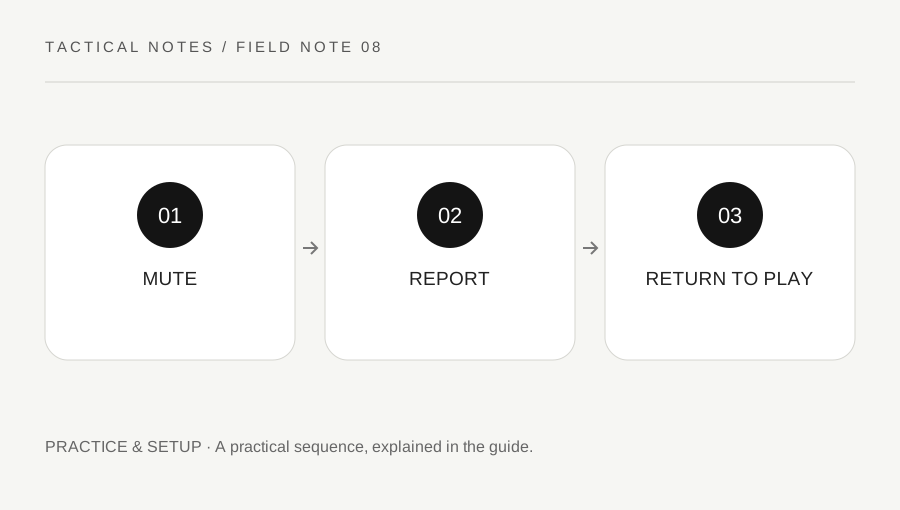
Original explanatory diagram. Examples illustrate a method or decision; they are not claims of personal testing.
Separate immediate control from review
Muting changes what you receive from a player, while reporting asks the provider to review conduct. Do not assume one action automatically performs the other. Use the current scoreboard and supported interface controls rather than an old screenshot whose design may have changed.
Steam Support explains CS2 communication penalties, including default-muted states. A player's silence can therefore have several explanations and is not automatically a technical microphone failure. Read the actual current account and interface context before diagnosing it.
Keep the response practical. You do not need to continue an abusive exchange to prove you are cooperative. Reduce the unwanted contact and preserve useful team information through supported settings when possible, without sharing personal details or escalating the argument.
Choose a report that matches the observation
Use the in-game or Steam reporting route described by official support. Select the relevant conduct and state what was observed. A difficult shot or unexpected opponent position is not by itself proof of cheating, and a disagreement about tactics is not automatically harassment.
Keep suspicions appropriately labeled and avoid inventing evidence. The provider can assess information unavailable to a general website. This site cannot submit a CS2 report, investigate a player or promise a penalty.
For a worked example, a player repeatedly sends targeted abuse during a match. A teammate mutes the disruption and reports the observed behavior through the supported controls. They do not add an unrelated cheating allegation simply because the abusive player also won several duels.
Protect evidence and private information
If the process requests details, keep the match context, approximate time and behavior concise. Review recordings or screenshots before sharing them through official channels. They can contain unrelated chat, account identifiers or personal information.
Do not publish someone's private details or organize others to target them. A public accusation thread is not a replacement for the provider's review system. It can also spread an unsupported conclusion beyond the evidence.
If a communication restriction applies to your own account, read the official support explanation rather than accepting a paid bypass or an unofficial unlock. Use the normal process and improve conduct; an account-service advertisement does not have authority to remove a provider's penalty.
Return to a usable communication plan
After muting or reporting, decide which channels and teammates remain useful for the current round. Keep calls short and factual. Do not repeatedly reopen the conflict through another channel or ask teammates to relay messages to the muted player.
The absence of a visible immediate penalty does not prove the report was ignored. Steam Support describes its review limits and communication-policy context. Submit accurate information and avoid treating a desired punishment timetable as part of the match objective.
Finish by reviewing whether the immediate disruption ended and whether the official report route was used correctly. That is the part under your control. A useful communication habit protects the ability to play and exchange relevant information while leaving conduct assessment to the provider, rather than allowing one disruptive encounter to turn the whole session into an escalating argument.
A practical post-match note can record the report route and approximate incident time without retaining another person’s private information. Keep it only for the purpose you need, and do not turn the note into a public list of alleged offenders.
A practical checklist
Choices are saved in this browser. Reset them here or clear this site’s browser storage.
Questions that come up
Does muting automatically report someone?
Do not assume so. They are different controls and serve different purposes.
Can this site investigate a suspected cheater?
No. Use Steam’s supported reporting process. The provider assesses the available evidence.
Does no immediate penalty prove nothing happened?
No. A report enters the provider’s process and does not guarantee a visible result on your timetable.
References & scope
Background references checked on 18 October 2026. Worked examples and diagrams are original teaching material.